Get Started with SigmaTenders
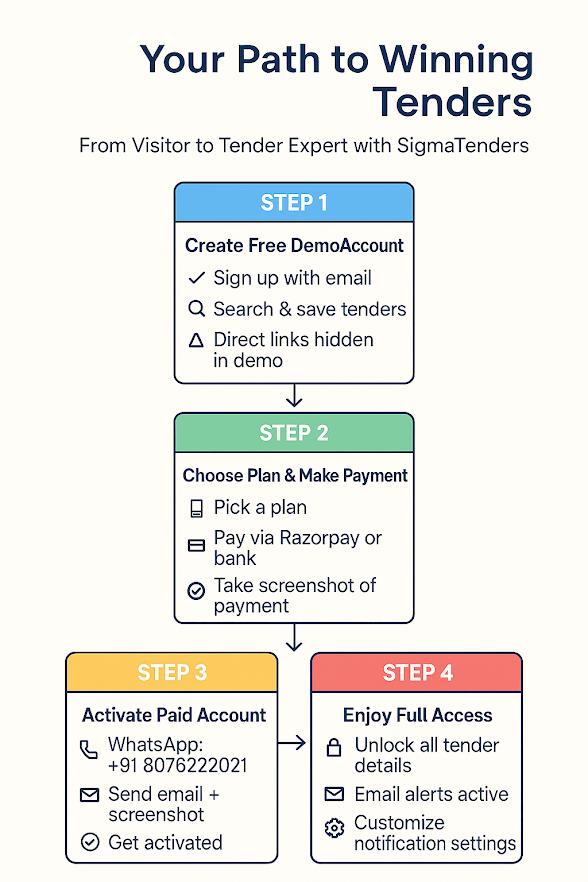
We're happy to guide you through our subscription process so you can explore the full features of the SigmaTenders platform. The process is designed to be simple and can be completed in four straightforward steps.
The plan that includes access to all sectors is our Standard Plan.
Step-by-Step Guide
Create Your Free Demo Account
First, sign up with your email to create a free demo account. This allows you to search our database and save tenders to see how the platform works. Please note that direct tender links are hidden in the demo version.
Choose Your Plan & Make Payment
When you are ready to unlock full access, choose a subscription plan. You can pay securely via Razorpay or request our bank details via WhatsApp for a direct transfer.
Important: Please take a screenshot of the successful payment confirmation.
Activate Your Paid Account
Send a message to our WhatsApp number: +91 8076222021
In your message, please provide:
- • Your registered email address
- • Attach the payment screenshot
Our team will verify the details and activate your account.
Enjoy Full Access
Once activated, you will have complete access to all tender details and direct links.
What you'll get:
- • Complete access to all tender details and direct links
- • Active email alerts for new opportunities
- • Customizable notification settings
- • Full platform features and resources
Need Help?
Once you have had a chance to familiarize yourself with the platform, we would be delighted to reconnect and discuss exclusive partnership opportunities in more detail.
We look forward to welcoming you as a subscriber.